


95.5 WSB
4.1756.00 Reviews
App Specs
- Version
- 12.0.91
- Updated On
- License
- Free
- Downloads
- 100,000+
- Developer
- Cox Media Group Inc.
- Categories
- News & Magazines
- Platform
- Android
Screenshots
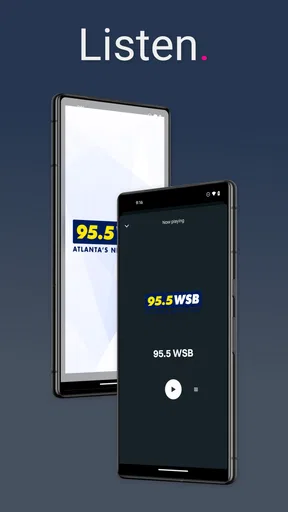
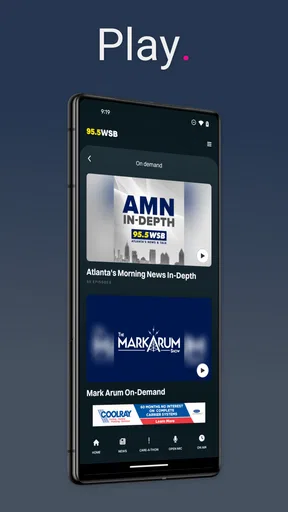
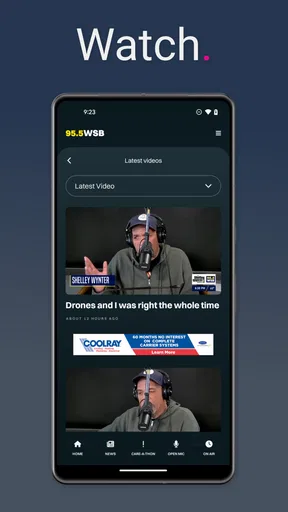
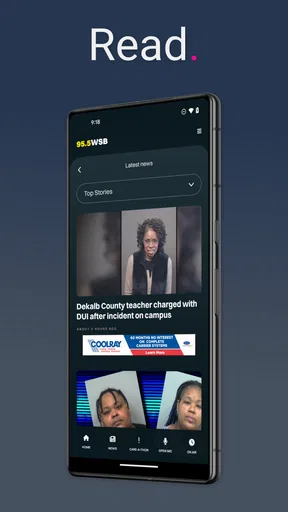
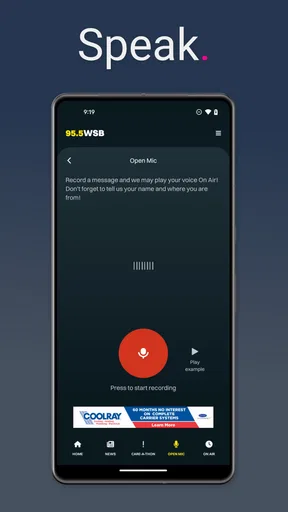
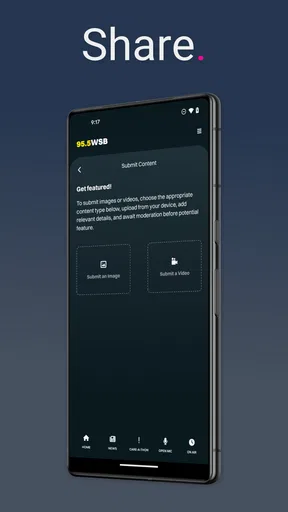
 Analysis by AppCompare
I installed 95.5 WSB expecting a straightforward way to follow Atlanta radio, and that is exactly where this app makes the most sense. It is a free News & Magazines app from Cox Media Group Inc. built around the 95.5 WSB experience: local news, weather, traffic, and radio programming in one place. I would not treat it as a complete replacement for every news source on a phone, but for someone who wants Atlanta-focused updates without searching through several apps, it has a clear purpose.
The app has been available since April 28, 2014, and its current version is 12.0.91. It runs on Android 8.0 or later, carries a Teen content rating, and has passed the point where an app feels experimental: the listing shows over 100 thousand installs, an average rating of 4.1, and roughly 1.7 thousand ratings. Those figures suggest a reasonably established audience, although they do not remove the need to judge how well it fits your own routine.
Getting past the first points of friction
The first place I would expect users to get stuck is not the news itself, but the basic relationship between the app, the phone, and the station stream. A radio-focused app is more dependent on a reliable connection than a simple article reader. If the screen loads but audio does not begin, or if updates appear late, it is easy to blame the application immediately. In practice, the problem may be the network, a restrictive battery setting, or a temporary issue with the station feed.
I recommend opening the app on a dependable Wi-Fi connection before judging it. This gives the initial content a fair chance to load and makes it easier to separate an app problem from weak mobile coverage. If it behaves normally on Wi-Fi but struggles on cellular data, the next step is to check whether mobile data access is enabled for the app in the phone’s settings. That is a more useful test than repeatedly closing and reopening the same screen.
Another common source of confusion is expecting every part of a radio app to behave like a downloaded podcast. Live audio depends on an active connection, so a pause, delay, or interruption can occur when the connection changes. I found it more helpful to think of this as a live station companion rather than an offline audio library. If your main goal is listening during a flight, underground commute, or other place without dependable service, this is probably not the right tool.
What to check before deciding something is broken
Start with the simple checks: confirm that the phone is not in an extreme battery-saving mode, make sure media volume is raised rather than only ringtone volume, and verify that another app is not already controlling audio. Bluetooth can also complicate a quick test. A phone may be sending sound to a car system, speaker, or headset that is no longer nearby, making the app appear silent even though playback has started.
If the app opens to stale-looking information, refresh it after confirming the connection. News and traffic information are time-sensitive, but they are not always updated at the exact moment you look. I would avoid treating one slow refresh as proof that the entire service is unreliable. A second check after moving from cellular data to Wi-Fi, or after briefly reopening the app, gives a much clearer diagnosis.
Worth Reading Before You Choose

EA SPORTS FC Mobile 26 Is a Bigger Football Game, but It Takes Time

Flipboard Shows What News Apps Must Do Beyond the Feed

Switching to Android Auto Means Rethinking Your Driving Routine

Google Calendar Makes a Crowded Week Easier to Manage

Ludo King Makes the Most of the Minutes Between Plans

Baby Panda World Brings Quick Play to Modern Phones, but Its Game Library Feels Busy
It is also worth keeping the software current. The installed version is 12.0.91, so a device running an older build may not behave in exactly the same way as a recently updated phone. I would check the app store for an available update before spending time changing deeper phone settings. On older devices that meet the Android 8.0 minimum, performance may also feel less fluid than on newer hardware, especially if many other apps are open.
For people who are cautious about installing a news app, the age rating is Teen. That does not make it a children’s product, and the subject matter can naturally include serious local events. Families should use their own judgment rather than assuming that a news application is automatically suitable for younger children simply because it is free.
A sensible setup for daily Atlanta updates
My preferred setup is to decide what job the app should perform before opening it repeatedly throughout the day. If I want a quick local check in the morning, I use it as a focused source for Atlanta headlines, weather awareness, traffic context, and station listening. If I am already following national news elsewhere, I do not expect this app to replace that broader coverage. That division keeps the experience useful instead of turning it into another noisy stream of information.
For a commuter, the practical sequence is simple: check the local situation before leaving, then use the station experience for live updates while traveling, provided the connection and audio route are stable. I would not interact with the phone while driving. The value is in preparing before the trip or listening through a properly configured hands-free system, not in trying to read changing information behind the wheel.
One useful habit is to compare a traffic report with what you can actually see on your route. Traffic information is valuable for awareness, but no single source can represent every side street, sudden obstruction, or change that happened after the last update. The app works best as an early warning and local context, while a dedicated navigation tool remains better for turn-by-turn routing and immediate route changes.
The same distinction applies to weather. I would use the app to stay aware of local conditions and developing situations, then use a dedicated weather service when I need detailed forecasts, radar, or planning for a specific hour. This is one of the app’s important trade-offs: its strength is bringing station-centered local information together, not necessarily replacing every specialized tool.
Recovering a disrupted workflow
When the normal routine breaks, I like to troubleshoot in layers rather than changing everything at once. First, I check whether the problem affects only audio, only the news view, or the entire app. If articles or updates load but sound does not, I focus on volume, Bluetooth, media output, and the network. If nothing loads, I focus first on connectivity and then on whether the app needs an update or a fresh launch.
Force-closing and reopening the app is a reasonable first recovery step, but I would not repeat it endlessly. If that does not help, switching between Wi-Fi and cellular data can reveal whether the connection is the real issue. Restarting the phone is also worthwhile when audio routing or background processes seem confused. These are ordinary checks, but they solve more real-world problems than immediately uninstalling the app.
Clearing an app’s cache can sometimes help with a screen that is stuck or displaying old temporary content, but I would treat it as a later step and read the phone’s warning carefully. Clearing storage is more disruptive because it can remove local app information and reset the experience. I would not use that option casually, especially when the problem has not been clearly identified.
If playback stops when the phone screen goes dark, I would check the device’s battery and background-activity settings. Some phones restrict apps aggressively to save power. That can interrupt live audio even when the app itself is functioning normally. The exact menu names vary by manufacturer, so the safe approach is to look for the app’s battery usage controls and avoid applying broad changes to every application.
There is a useful trade-off here. Relaxing battery restrictions may make live listening more dependable, but it can also increase battery use. I would make that adjustment only if uninterrupted listening matters to me, and I would reverse it if the benefit is minor. A short commute does not justify sacrificing battery life all day.
For a realistic example, imagine checking the app before leaving work and finding that traffic information loads while the station audio refuses to play. I would first confirm media volume and the selected output, disconnect Bluetooth if necessary, and test the stream on Wi-Fi. If it still fails, I would close the app, reopen it, and check for an update. If another audio app also fails, the issue is almost certainly broader than 95.5 WSB.
Separating app trouble from phone or network trouble
The fastest way to avoid a false diagnosis is to test one comparable action outside the app. Open another news site to see whether the connection is working, or play audio from a different service to check the phone’s sound path. If both alternatives fail, changing settings inside this app will probably waste time. If everything else works and only this app has trouble, then an update, restart, or reinstall becomes more reasonable.
Reinstalling can be useful when an installation has become corrupted, but I see it as a last practical step rather than the default answer. It takes longer, may reset local preferences, and does not fix a weak signal or a station-side interruption. Before doing it, I would note what behavior is failing and test the app again later. A temporary outage can look exactly like a damaged installation from the user’s perspective.
Users should also remember that live local coverage can change quickly. A traffic item may be less useful once conditions improve, and a developing news story may evolve after the first update. That is not necessarily an app defect; it is a limitation shared by any service delivering information in real time. I value the app more when I use it for timely awareness rather than expecting a permanent, perfectly complete record of every event.
Compared with a general news aggregator, this app feels more focused on the Atlanta station identity. That focus is an advantage if local relevance matters more to you than collecting headlines from many publishers. An aggregator is usually the better choice when you want national, international, business, technology, and local stories mixed together in one customizable feed. I would choose 95.5 WSB when I want a local radio-centered habit, not when I want the widest possible editorial range.
Compared with a standalone weather app, it is less specialized. A weather app is the stronger option for detailed forecast tools and visual weather information. Compared with a navigation app, it is not the right choice for precise directions. Compared with a podcast player, it is not designed around offline episodes and personal queues. Its usefulness comes from combining local station listening with nearby news, weather, and traffic awareness rather than winning every individual category.
Who will get the most from it
I think the best audience is someone connected to Atlanta who wants a familiar local source throughout the day. That might be a resident checking conditions before commuting, someone who prefers radio-style coverage to scrolling through unrelated headlines, or a former local resident who still wants a convenient connection to Atlanta news and traffic. The free price makes it easy to try without committing money, which is helpful when your needs are mainly occasional.
It is also a sensible secondary app for people who already have specialized tools. I would not replace my navigation or detailed weather app with it, but I could use this one for local context and station listening. That combination avoids forcing one application to do jobs it was not built to handle.
I would skip it if I live far from Atlanta and have no reason to follow the area, or if I need offline listening as a central requirement. I would also look elsewhere if I want a highly personalized national news feed, deep weather analysis, or a podcast-style library. The app’s focused identity is either its main benefit or its main limitation, depending on what you expect from it.
The 4.1 average from around 1.7 thousand ratings gives it a credible, positive position without suggesting universal satisfaction. I read that as a reason to try it with realistic expectations: it is established and useful for its intended audience, but individual experiences can still depend on device age, connection quality, audio setup, and how much local coverage you actually want.
My practical verdict after using it
95.5 WSB is a good fit when you want Atlanta-centered information and a station experience in one free app. I like its clear purpose, especially for a morning routine or a quick local check before traveling. The most important advice is to test the basics before blaming the software: use a stable connection, confirm the audio route, check battery restrictions, and compare the behavior with another app.
The app is most reliable as one part of a local-information routine, not as a replacement for navigation, detailed weather tools, or broad news coverage. Once I accepted that boundary, the experience became easier to judge. It gives local listeners a convenient starting point, while its limitations are understandable for anyone expecting a complete all-in-one media system.
For Android users on version 8.0 or newer, the free download is worth considering if Atlanta news, weather, traffic, and radio are genuinely part of the day. I would install it, test it on both Wi-Fi and mobile data, and decide after using it during an actual commute rather than relying only on a short first launch. That practical trial will quickly show whether its focused local approach matches the way you stay informed.
Pros
- Simple interface that is easy to navigate from the first launch.
- Useful customization options let users adjust the experience to their needs.
- Performance remains smooth on most modern Android and iOS devices.
- Regular updates can improve stability
- security
- and overall functionality.
- Helpful features make the app practical for frequent
- everyday use.
Cons
- Some advanced tools may be restricted to paying subscribers.
- The app may use noticeable battery during extended sessions.
- Certain features require a stable internet connection to work properly.
- Permissions requested at setup may feel excessive for some users.
- Occasional ads can interrupt navigation and reduce the overall convenience.
FAQs for 95.5 WSB
What is 95.5 WSB?
95.5 WSB is the official mobile app for Atlanta’s News & Talk station, WSB Radio. It gives you access to live radio streaming, breaking local news, traffic updates, weather information, podcasts, and other station content in one place. It is designed for listeners who want to stay connected with Atlanta coverage while traveling, commuting, or relaxing at home.
Can I listen to 95.5 WSB live through the app?
Yes, the app is primarily built around live listening. After opening it, you can usually start the station stream from the main screen and continue listening while browsing other content on your device. A reliable Wi-Fi or mobile-data connection is recommended, because streaming quality and playback may be affected by weak reception, limited bandwidth, or restrictions imposed by your mobile provider.
What kind of news and information does the 95.5 WSB app provide?
The app focuses on Atlanta and Georgia news, including breaking stories, traffic reports, weather updates, politics, community coverage, and talk-radio programming. Available sections may also include articles, show pages, video clips, interviews, and podcasts. Content can change throughout the day, so the app is useful for checking current developments rather than relying only on a fixed news feed.
Is the 95.5 WSB app free to download and use?
The 95.5 WSB app is generally free to download, and users can normally access its main radio and news features without purchasing a subscription. However, internet charges may apply when using mobile data, and the app may display advertising or offer content supplied by commercial partners. Availability of certain features can also vary according to location, device, and platform.
Does the app require an account or work outside Atlanta?
You can typically browse much of the app without creating an account, although registration may be requested for personalized features, notifications, saved content, or promotions. The live stream may be available outside Atlanta, but some broadcasts, podcasts, videos, or other material could be limited by licensing and geographic restrictions. Users should also enable notifications only if they want timely alerts.


